A free, open-source Photoshop alternative for Windows
Photoshop is only sold by subscription now, so a lot of people go looking for a free replacement — and find a choice between huge downloads, unfamiliar interfaces, or a browser tab that uploads their photos to someone else's server. Photovibe is the small option: a few megabytes, layer-based, familiar, entirely local, and MIT licensed.
This page compares it honestly with the alternatives, including the parts where Photovibe loses.
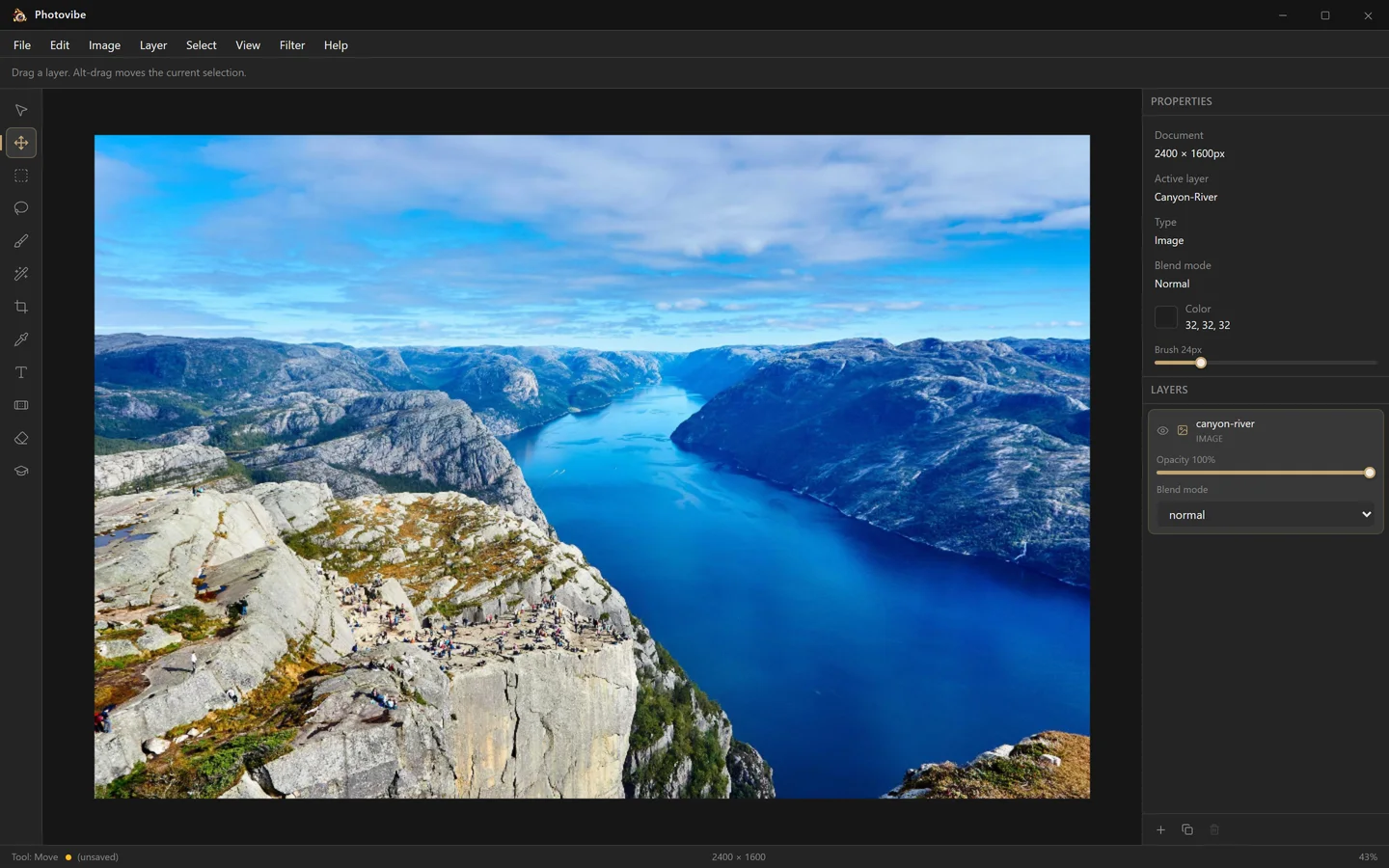
Photovibe vs Photoshop vs GIMP vs Photopea
✓ yes · ◐ partly · ✕ no. Accurate as of the current Photovibe release.
| Feature | Photovibe | Adobe Photoshop | GIMP | Photopea |
|---|---|---|---|---|
| Price | Free | Subscription | Free | Free with ads |
| Open source | MIT | Proprietary | GPL | Proprietary |
| Account required | None | Adobe ID | None | None |
| Works offline | Fully | Periodic check-in | Fully | Browser-based |
| Photos stay on your machine | Always | Cloud optional | Always | In-browser |
| Install size | A few MB | Multiple GB | ~500 MB | Nothing to install |
| Layers and blend modes | 13 modes | Full | Full | Full |
| Layer masks | Planned | Yes | Yes | Yes |
| Adjustment layers | Planned | Yes | Limited | Yes |
| Filters | Planned | Extensive | Extensive | Many |
| PSD support | Planned | Native | Import | Import/export |
| Platforms | Windows | Win, macOS | Win, mac, Linux | Any browser |
When Photovibe is the right choice
Pick Photovibe if you want to crop, resize, retouch, paint, add text and blend a few layers without installing several gigabytes or signing into anything. It starts fast, stays out of the way, and the whole program is small enough to read.
It is also the right choice if privacy is the deciding factor. There is no cloud component to opt out of, because there is no cloud component. Unplug the network and everything still works.
When it is not
If you need layer masks, adjustment layers, filters, or to open a PSD someone sent you, Photovibe cannot do that yet, and pretending otherwise would waste your time. Today:
- Need PSD compatibility? Photopea reads and writes PSD in a browser tab.
- Need maximum features for free? GIMP is the most complete open source image editor there is.
- Painting and illustration? Krita is built for exactly that.
- Professional print or client work? Photoshop is still Photoshop.
Those gaps are tracked openly on the roadmap, which lists every greyed-out menu item in the app.
What "open source" buys you here
Photovibe is MIT licensed — read it, fork it, ship your own build, use it inside commercial products. Practically, it also means you can verify the claims on this page rather than take them on faith: the editor is public on GitHub, releases are built by CI from tagged commits, and each installer is Authenticode-signed via Azure Trusted Signing with a published SHA-256 hash. If it made a network request, you could find it in the source.
Frequently asked questions
Is there a completely free alternative to Photoshop?
Yes. Photovibe is free and open source under the MIT licence, with no paid tier, no subscription, no trial period and no watermark. GIMP, Krita and Paint.NET are other well-established free options. Photovibe aims at the middle ground: a small, fast, layer-based editor that feels familiar to anyone who has used Photoshop.
What is the best open source Photoshop alternative for Windows?
GIMP is the most complete open source image editor and the right answer if you need maximum feature coverage. Krita is the strongest choice for digital painting. Photovibe is the lightest of the three: a few megabytes, no account, a familiar dark layer-based interface, and GPU compositing, aimed at everyday photo edits rather than at replacing every Photoshop feature.
Can I use Photoshop without a subscription?
Not the current version — Adobe sells Photoshop only through a Creative Cloud subscription. That is precisely the gap free editors fill. Photovibe has no subscription, no licence key and no account; you download an installer and use it indefinitely, including for commercial work.
Does Photovibe support layers and blend modes like Photoshop?
Yes. Photovibe documents are built from layers with independent opacity and thirteen blend modes — Normal, Multiply, Screen, Overlay, Soft Light, Hard Light, Colour Dodge, Colour Burn, Darken, Lighten, Difference, Exclusion and Luminosity — composited on the GPU through a WebGL2 engine. Layer masks and adjustment layers are not implemented yet.
Can Photovibe open PSD files?
Not yet. Photovibe opens PNG, JPEG and WebP files, and images pasted from the clipboard. PSD is a large undocumented format where partial support tends to be worse than none, so it is deliberately not shipped half-finished.
Do free photo editors upload my photos to the cloud?
Many browser-based ones do, because the editing happens on a server. Photovibe does not: it is a native desktop application, every edit runs on your own machine, and it works fully offline. The only network request it ever makes is an optional version check against GitHub Releases when you open the About dialog.
Is Photovibe safe to install?
Every Windows release is built by GitHub Actions from a public, tagged commit and Authenticode-signed with a public-trust certificate through Azure Trusted Signing, using GitHub OIDC so no long-lived signing credential exists in the repository. Each release also publishes a SHA256SUMS file so you can verify the download yourself.
Is Photovibe good enough to replace Photoshop for professional work?
Not for a full professional retouching workflow — it has no layer masks, adjustment layers, filters or PSD support yet. It is a capable free editor for cropping, resizing, painting, adding text, making selections and blending layers, and it is honest about the rest: the roadmap lists exactly what works and what does not.
Try it — it takes a minute
Free forever, no account, and uninstalling leaves nothing behind.